Ready to get started?

Book a call

PJ

Lineboss

  • Jul 2026
  • Product Therapy
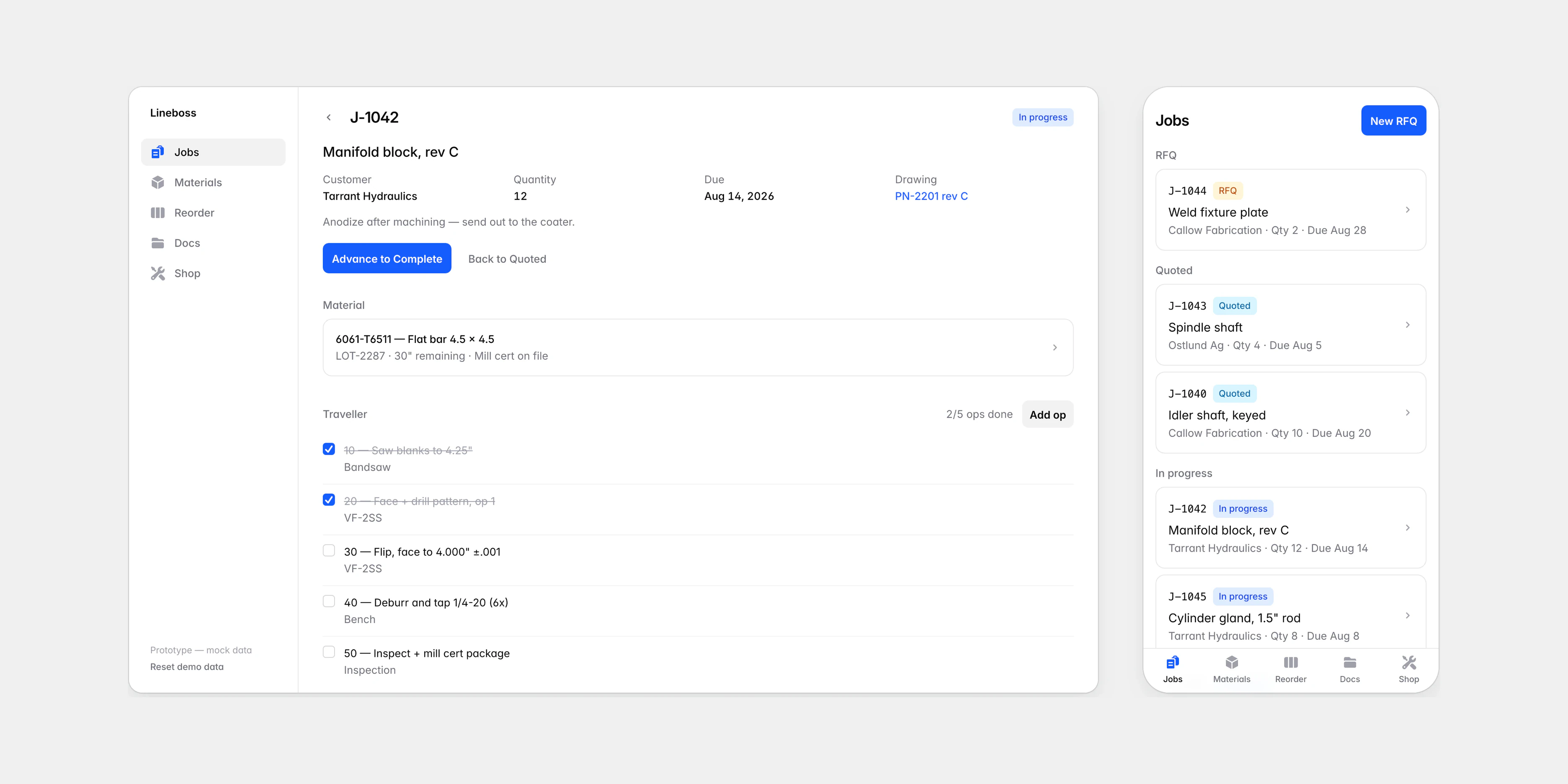
Lineboss on a desktop, showing a job with its material and traveller, beside the same app on a phone showing the jobs list with tabs along the bottom.
Lineboss follows a job from the request for a quote, through the traveller, to the machines that do the work.

Overview

Lineboss is a prototype of software for running a small machine shop. A machinist wrote notes on what that software would need to do, from the request for a quote to the whiteboard where the shop tracks what to reorder. We turned those notes into an app he can open on his phone.

The prototype runs in the browser on invented shop data, and we built it in a single morning. Its job is to start a conversation. Every screen maps to something done at the bench or the whiteboard today, so the machinist can point at what is right and what is missing.

Timeline
July 2026
Scope
Jobs and travellers, material and reordering, drawings and markup, machines, people and training
Tools
Vue, Tailwind CSS and mock data in the browser

The notes

The notes listed what a small shop keeps track of: requests for quotes, the traveller that follows each part, bar stock with its mill certificate and remaining length, drawings and setup sheets, and training certificates that lapse. They ended with the shop’s reorder whiteboard and its columns: Need, Ordered and Received.

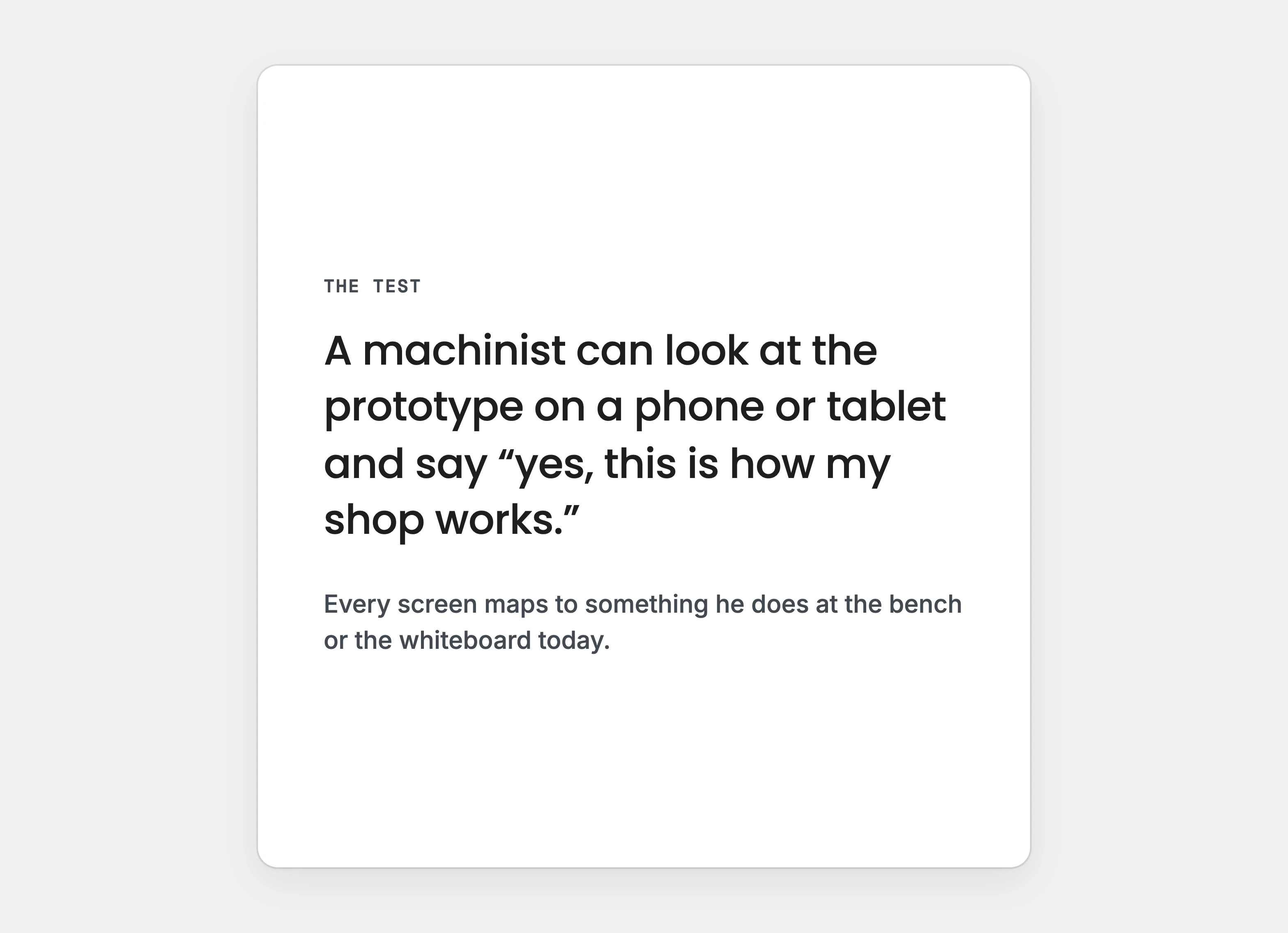
We set one test for the prototype. The machinist should be able to look at it on a phone and recognise his own shop. That ruled out a backend, logins and branding.

Before the first screen was built, we also made the shop’s machines and the people who run them part of the model. The notes did not ask for that. It was our addition, so that a board could show how the shop’s people and machines are deployed.
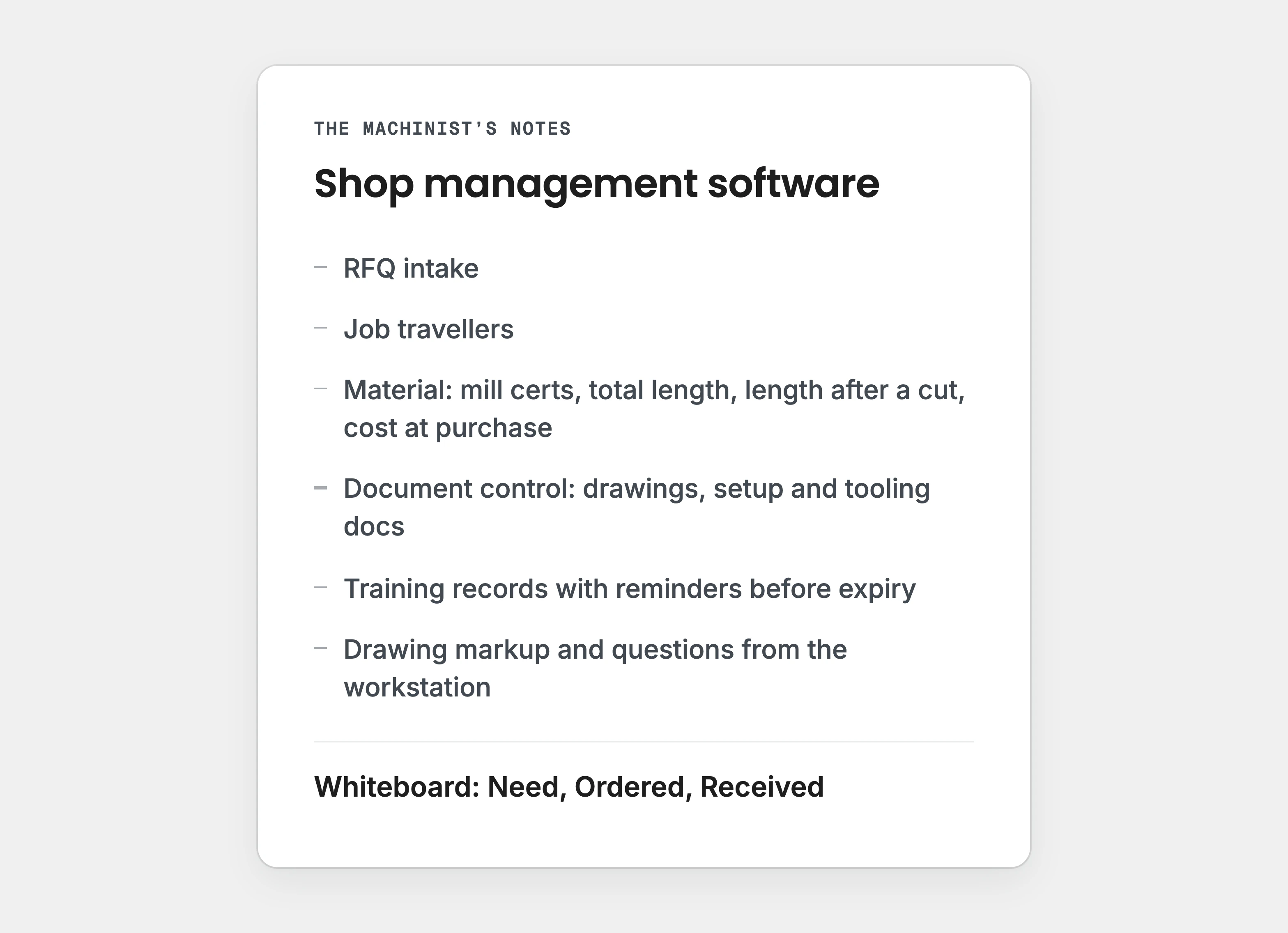
A typeset list headed “Shop management software”: requests for quotes, travellers, material, document control, training records and drawing markup, ending with “Whiteboard: Need, Ordered, Received”.
A typeset recreation of the notes’ headings, which end with the shop’s reorder whiteboard.
The prototype’s test, typeset: a machinist can look at the prototype on a phone or tablet and say “yes, this is how my shop works”.
We wrote down the test before the first screen was built.
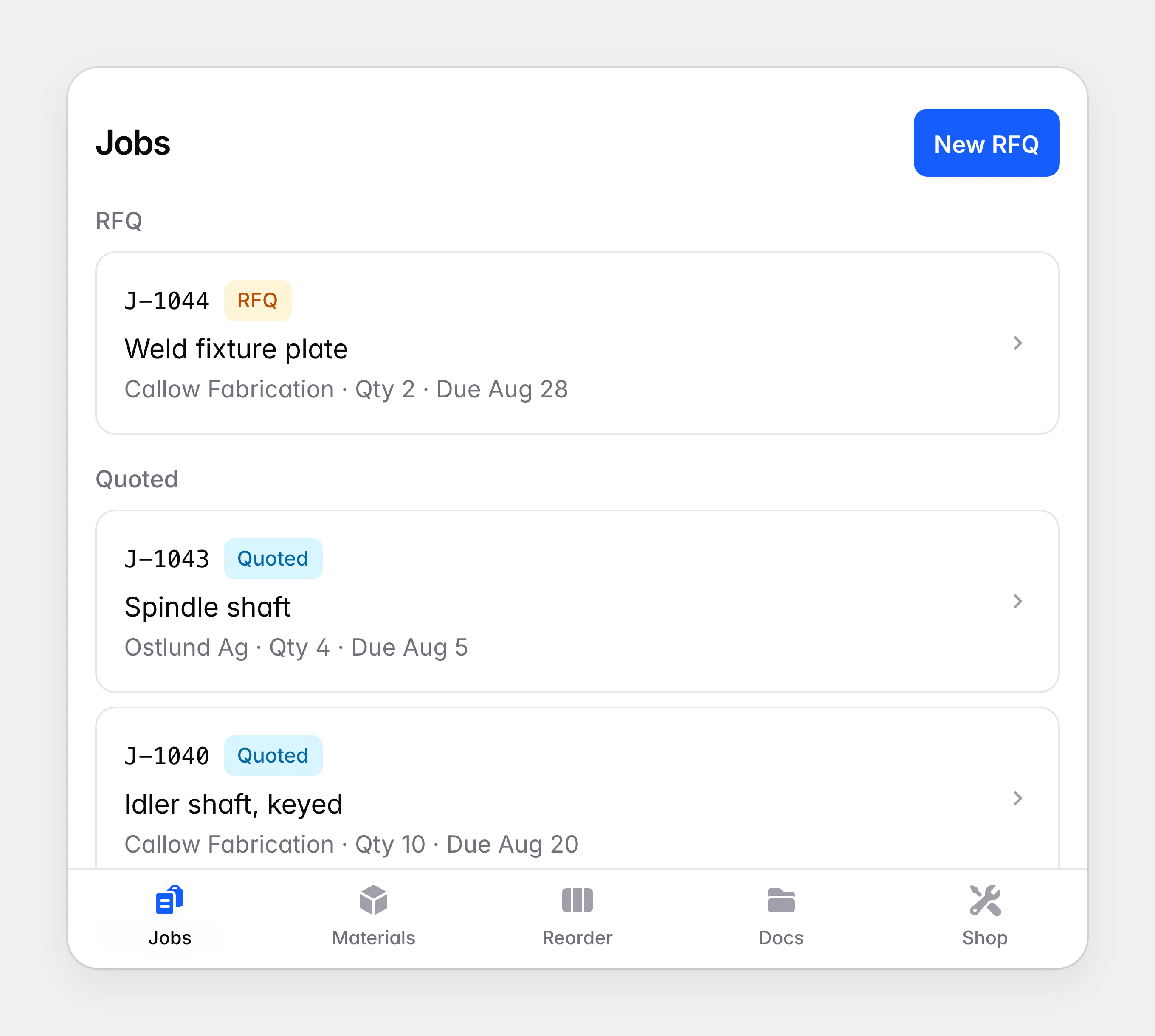
The Lineboss jobs list grouped under RFQ, Quoted and In progress, above a bar of tabs for Jobs, Materials, Reorder, Docs and Shop.
Jobs are grouped by where they stand, with the shop’s sections in tabs along the bottom.

Jobs and the traveller

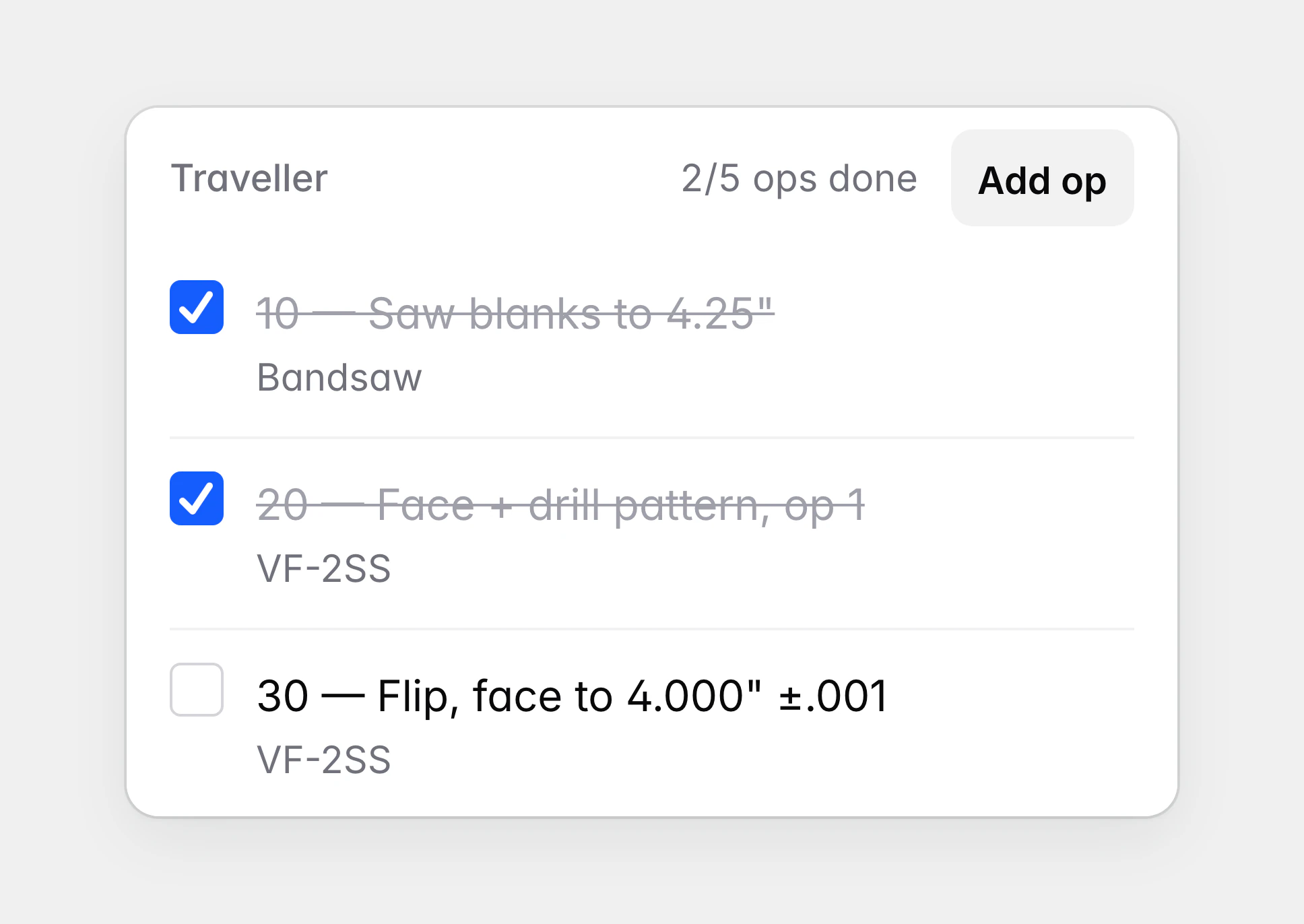
Every job starts as a request for a quote and moves through quoted and in progress to complete. The job page holds the paper traveller as a checklist, so each operation is ticked off at the machine where it happens.

Navigation sits in tabs along the bottom of the phone, because work on the shop floor is done one-handed. A new request arrives with a starter traveller and its own drawing, so questions can be asked from the start. Adding a machining operation puts it in that machine’s queue, and a mis-tapped status can be stepped back.
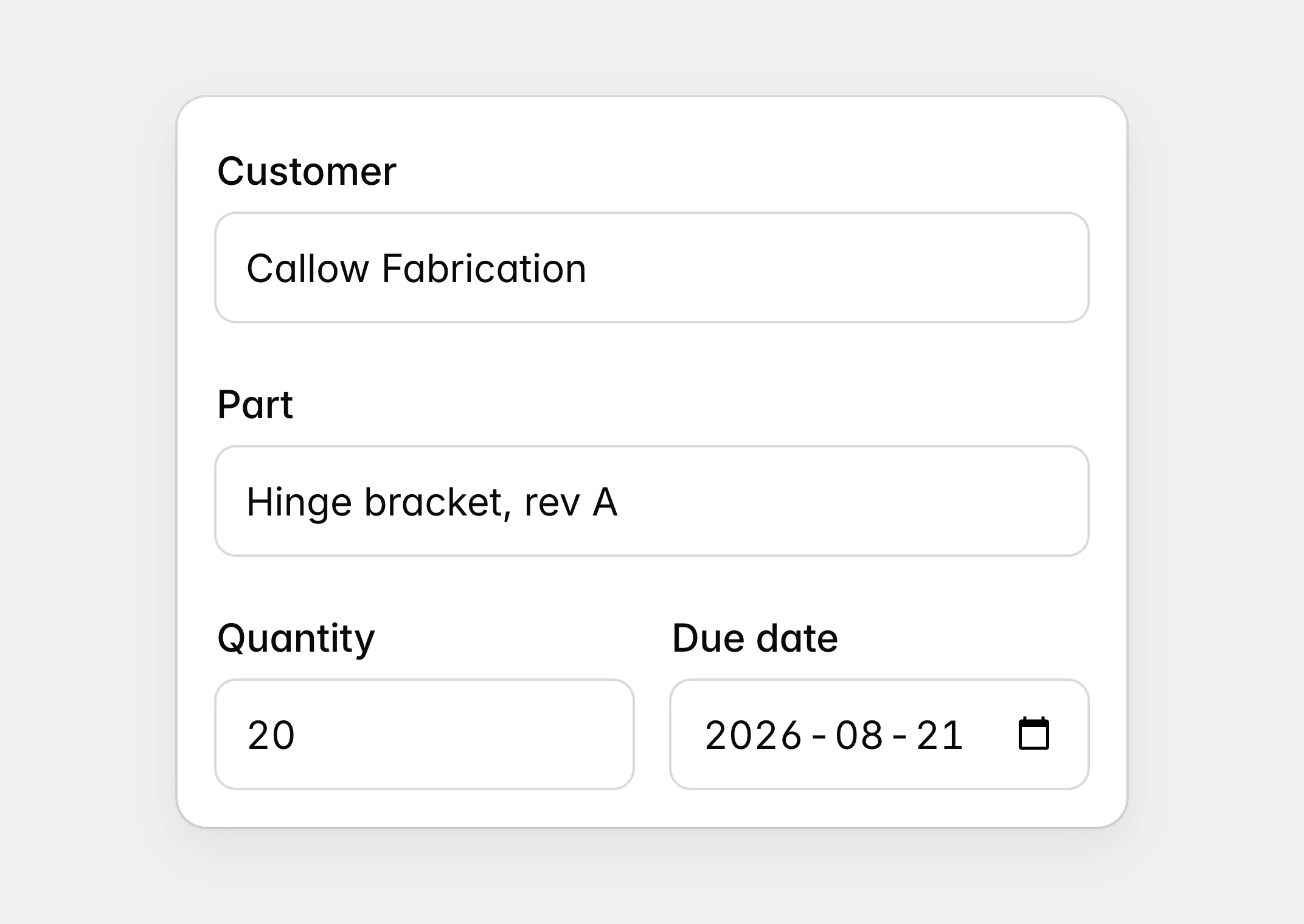
A new request form with a customer, a part named “Hinge bracket, rev A”, a quantity and a due date filled in.
A new request for a quote takes a customer, a part and a due date.
A traveller with its first two operations, sawing and op 1 on the VF-2SS, checked off and struck through, and the next operation still open.
Operations are checked off on the traveller as the part moves through the shop.
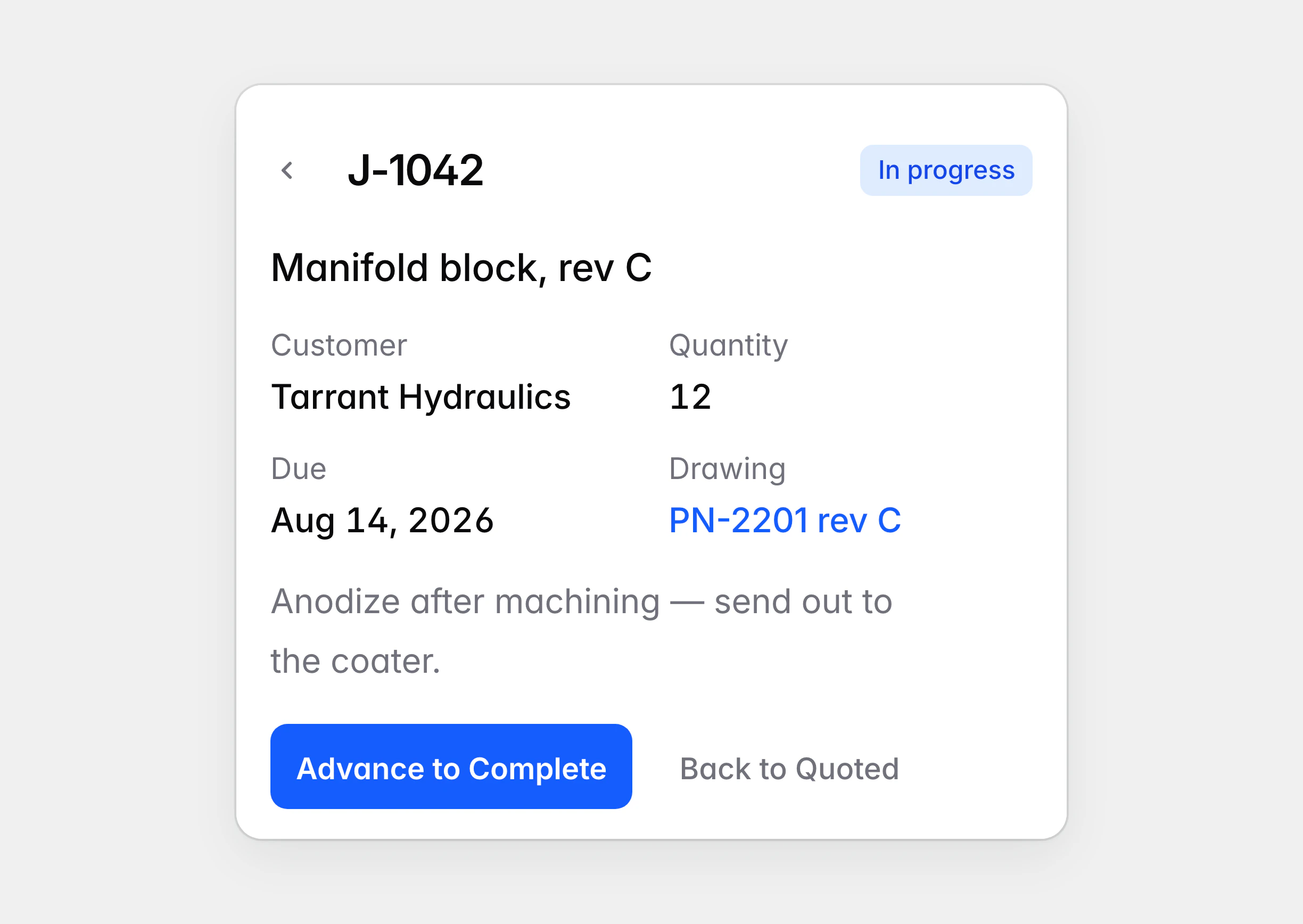
The header of job J-1042, marked In progress, with an “Advance to Complete” button and a quieter “Back to Quoted”.
A job’s status can move forward or step back after a mis-tap.
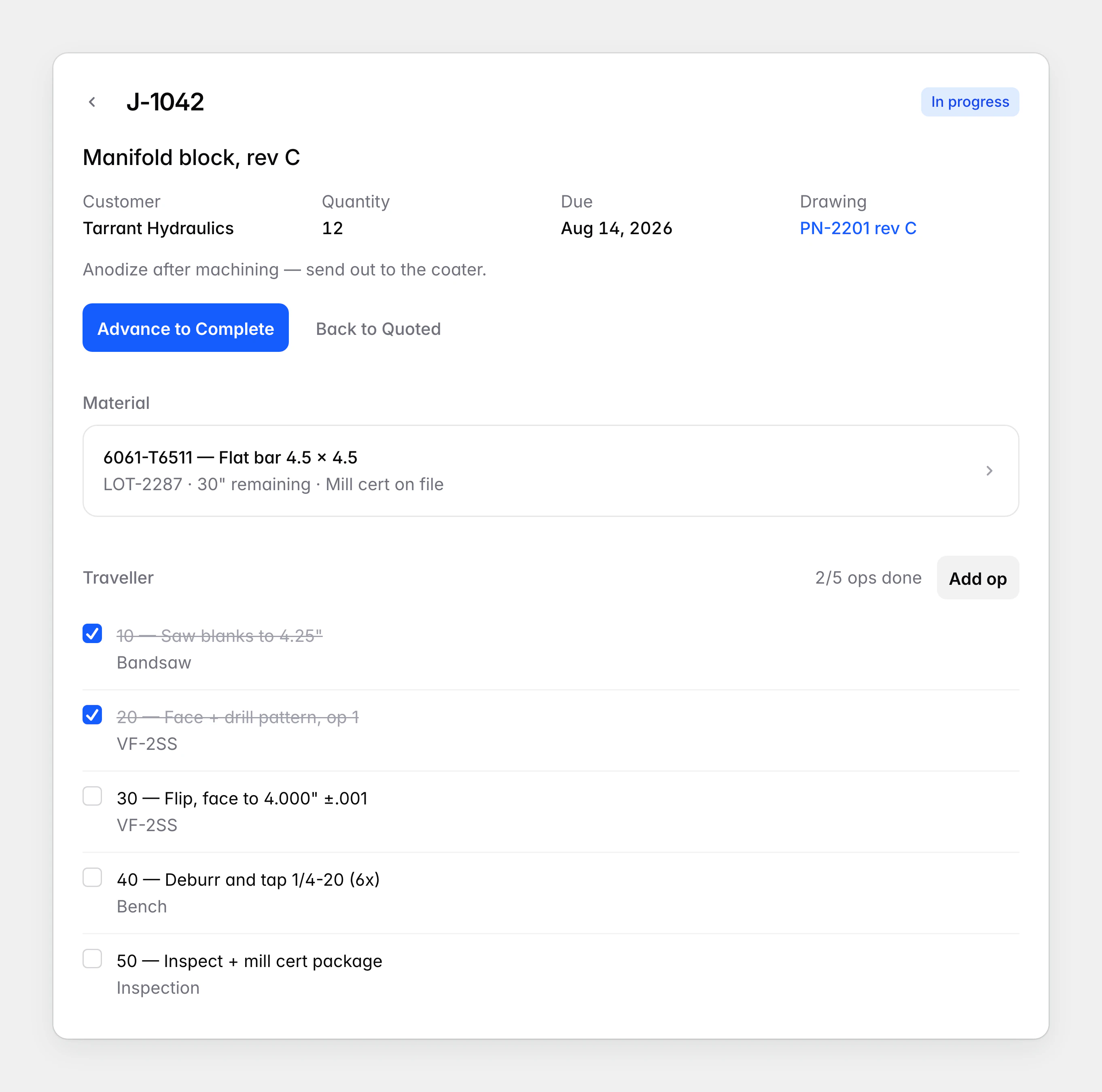
The page for job J-1042, a manifold block: customer, quantity, due date and drawing, the bar stock it is cut from, and a traveller of operations with the first two checked off.
The job page brings the customer, the material and the traveller together.

Material and the whiteboard

Each lot of bar stock carries its mill certificate, what it cost, how much was bought and how much is left. Recording a cut draws the length down, and a short lot can go straight onto the reorder board.

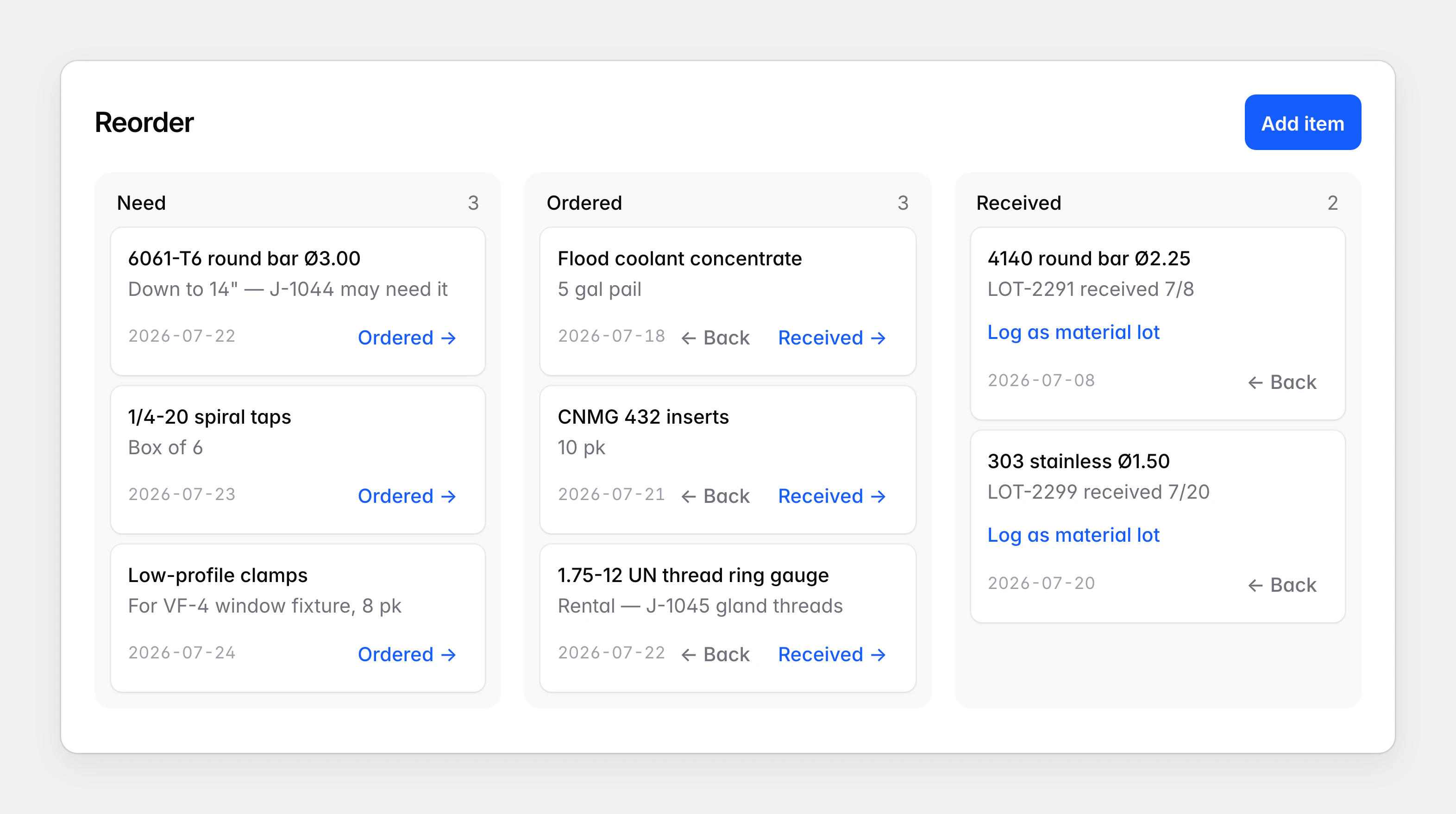
The whiteboard became a board with the same columns, where a card moves on with a tap instead of a drag. The first version stopped when an order arrived. Now a received order is logged as a new lot, so the reorder story ends back in inventory.
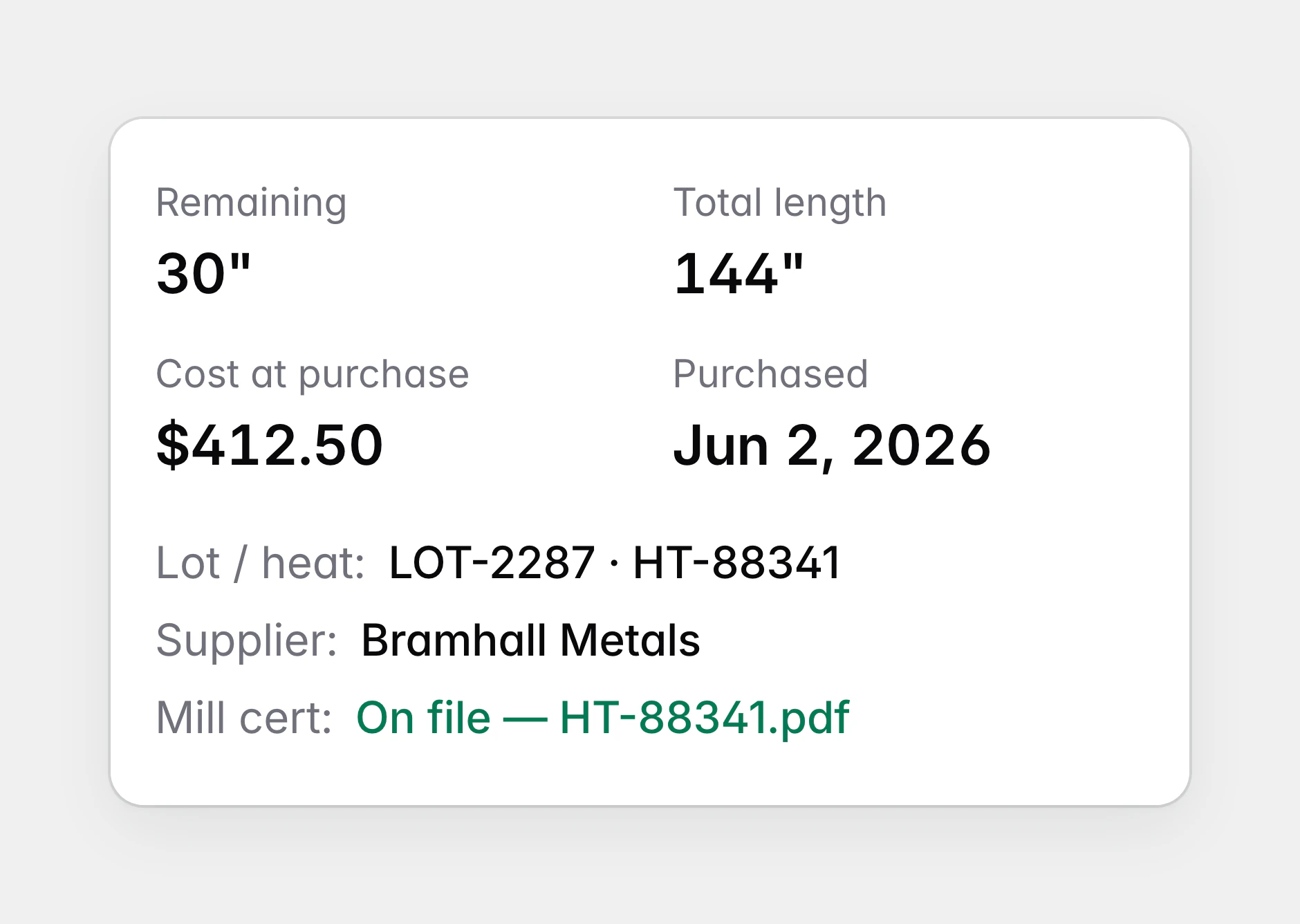
A lot of 6061 flat bar showing what remains, its total length, its cost at purchase and the date it was bought, with its lot and heat numbers, its supplier and its mill certificate on file.
Each lot shows what is left, what it cost and where its mill certificate is.
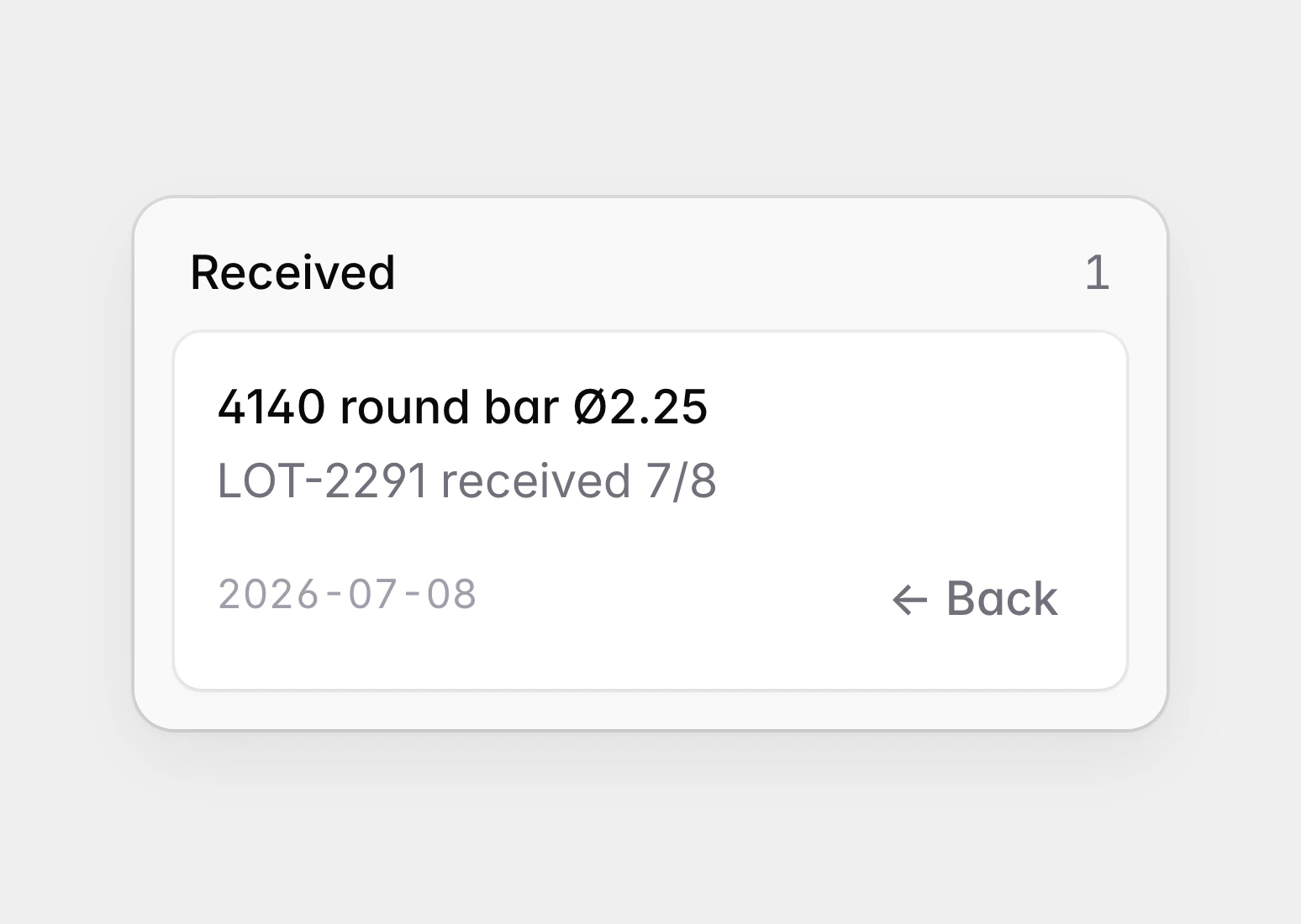
The Received column of the first reorder board, holding a card for 4140 round bar that can only be moved back.
The first board stopped at Received.
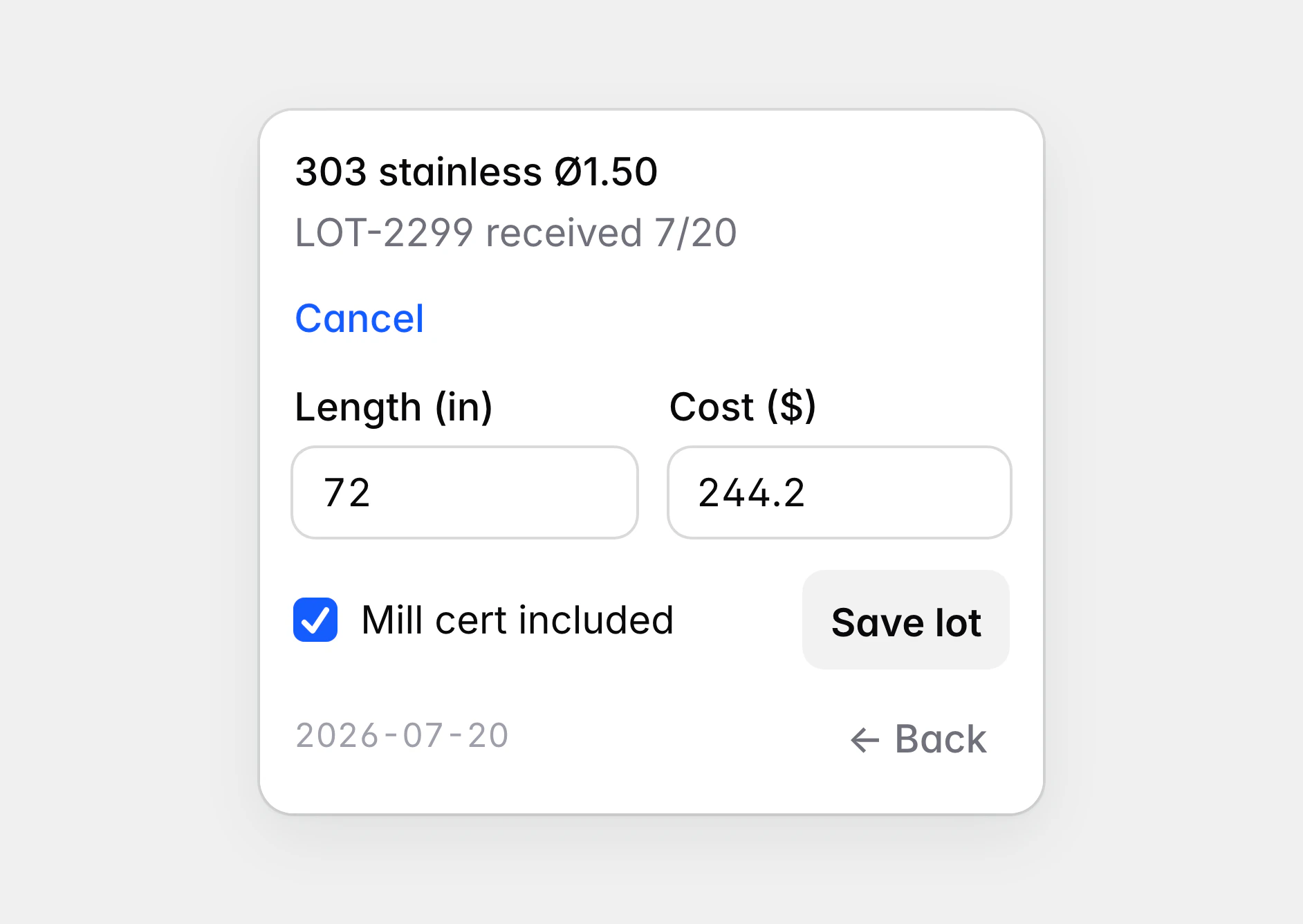
A received card for stainless bar, open on a short form for its length, its cost and whether a mill certificate came with it, with a “Save lot” button.
A received order is logged as a new lot of stock.
The reorder board with Need, Ordered and Received columns of cards for bar stock, taps, clamps, coolant, inserts and a thread gauge.
The reorder whiteboard became a board the whole shop can see.

Drawings and questions from the bench

Drawings, setup sheets and tooling documents are filed by type and by machine, each with its revision and the jobs that use it. When a print raises a question, the machinist circles the feature with a finger and types the question underneath.

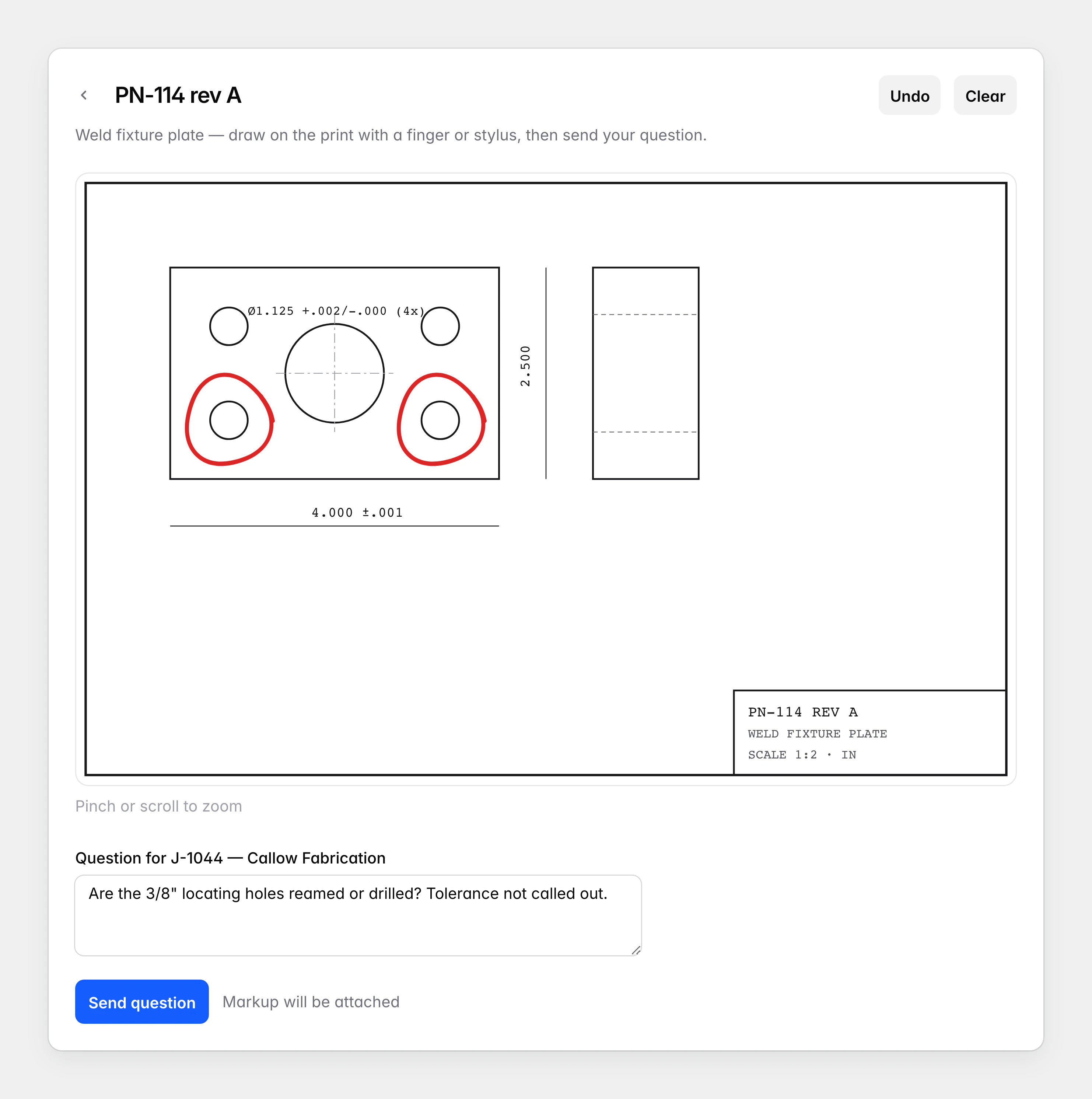
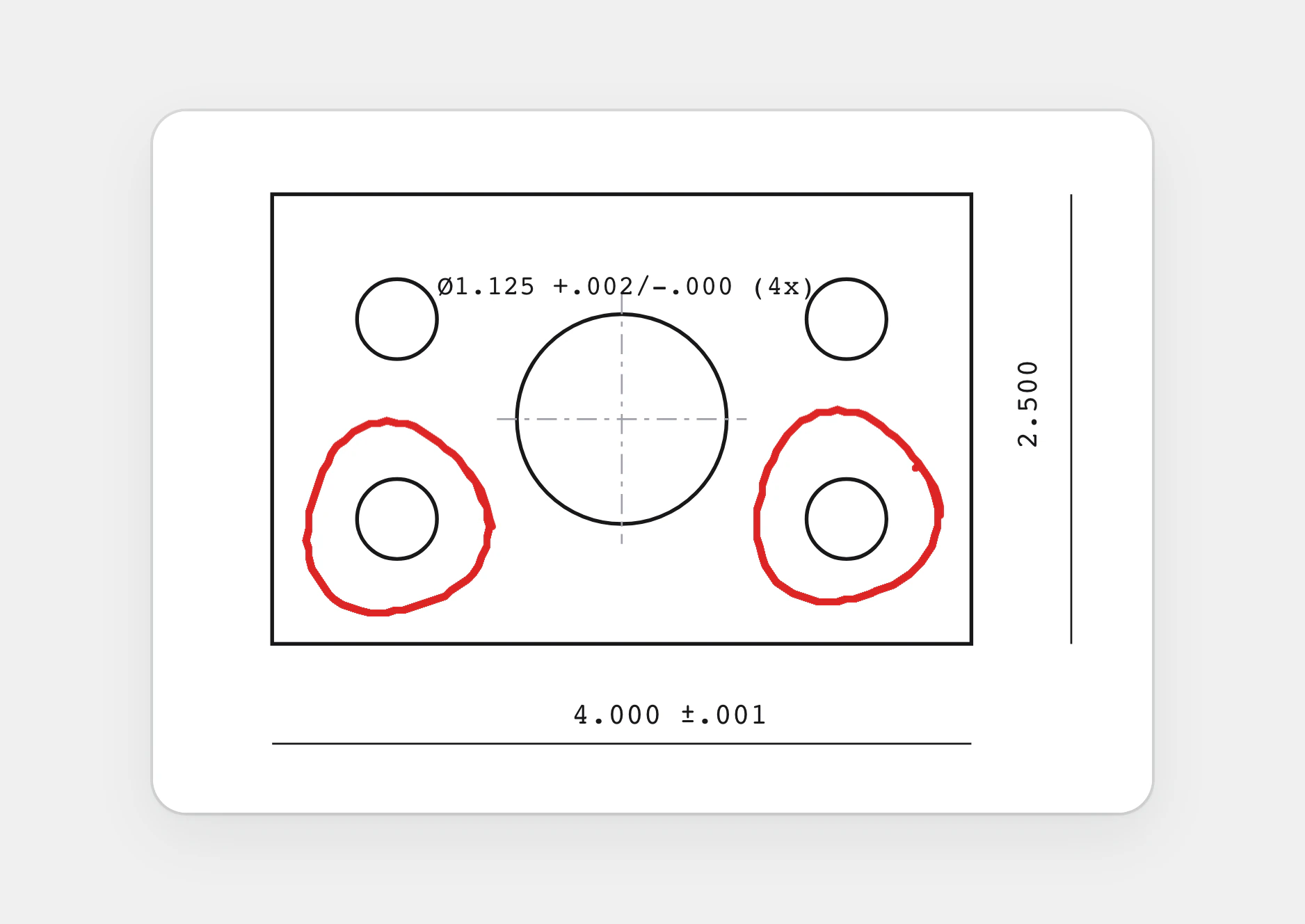
The first markup was drawn as plain lines. We replaced them with strokes that taper with pressure, drawn in the print’s own coordinates, so the marks stay on the part at any size and while zoomed. The question and its markup land on the job, and the answer sits beside the circled feature.
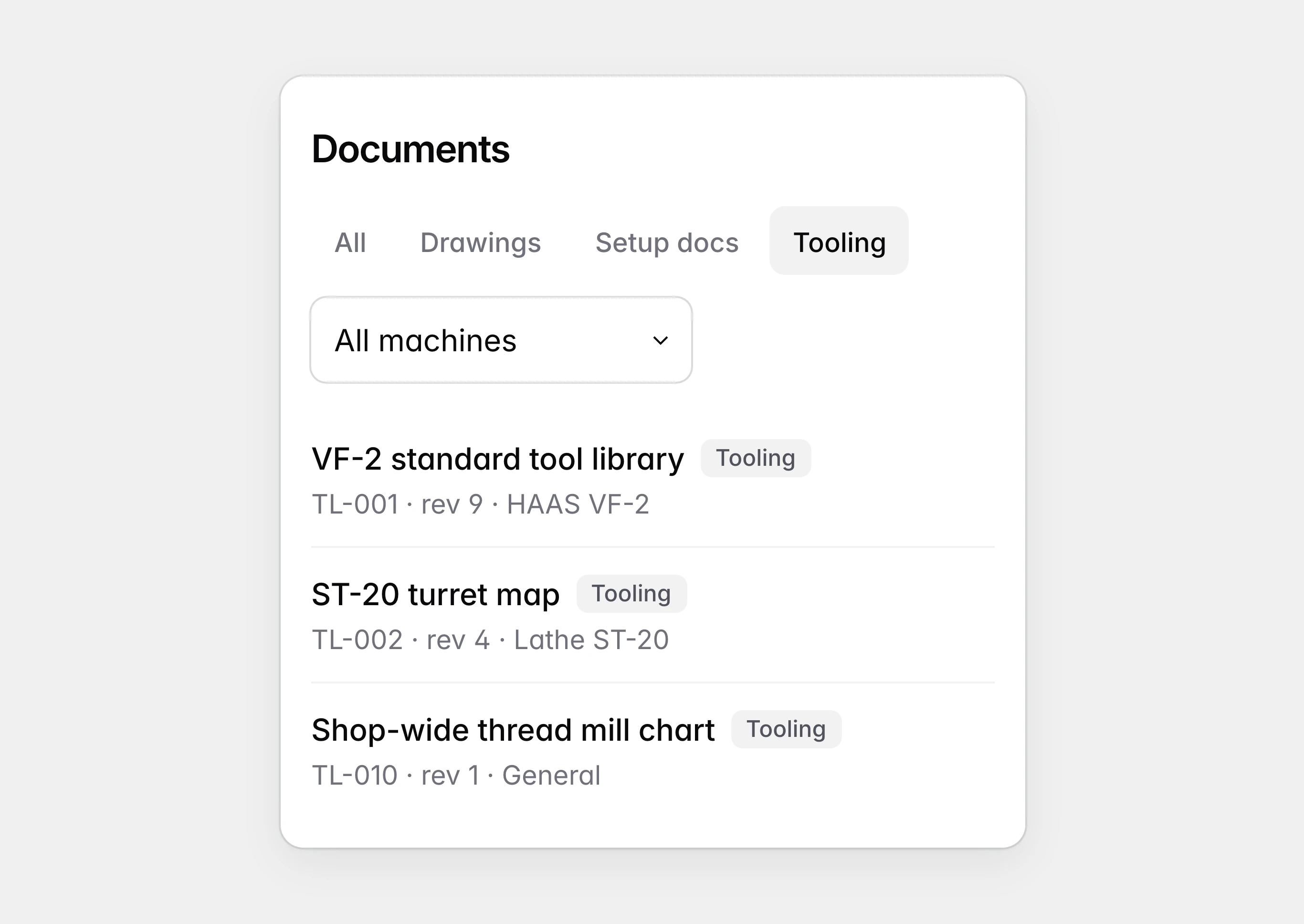
The documents list filtered to tooling, with a tool library, a turret map and a shop-wide thread mill chart.
Documents are filed by type and by machine.
Part of a drawing of a weld fixture plate, with two locating holes circled in thin, jagged lines.
The first markup was drawn as plain lines.
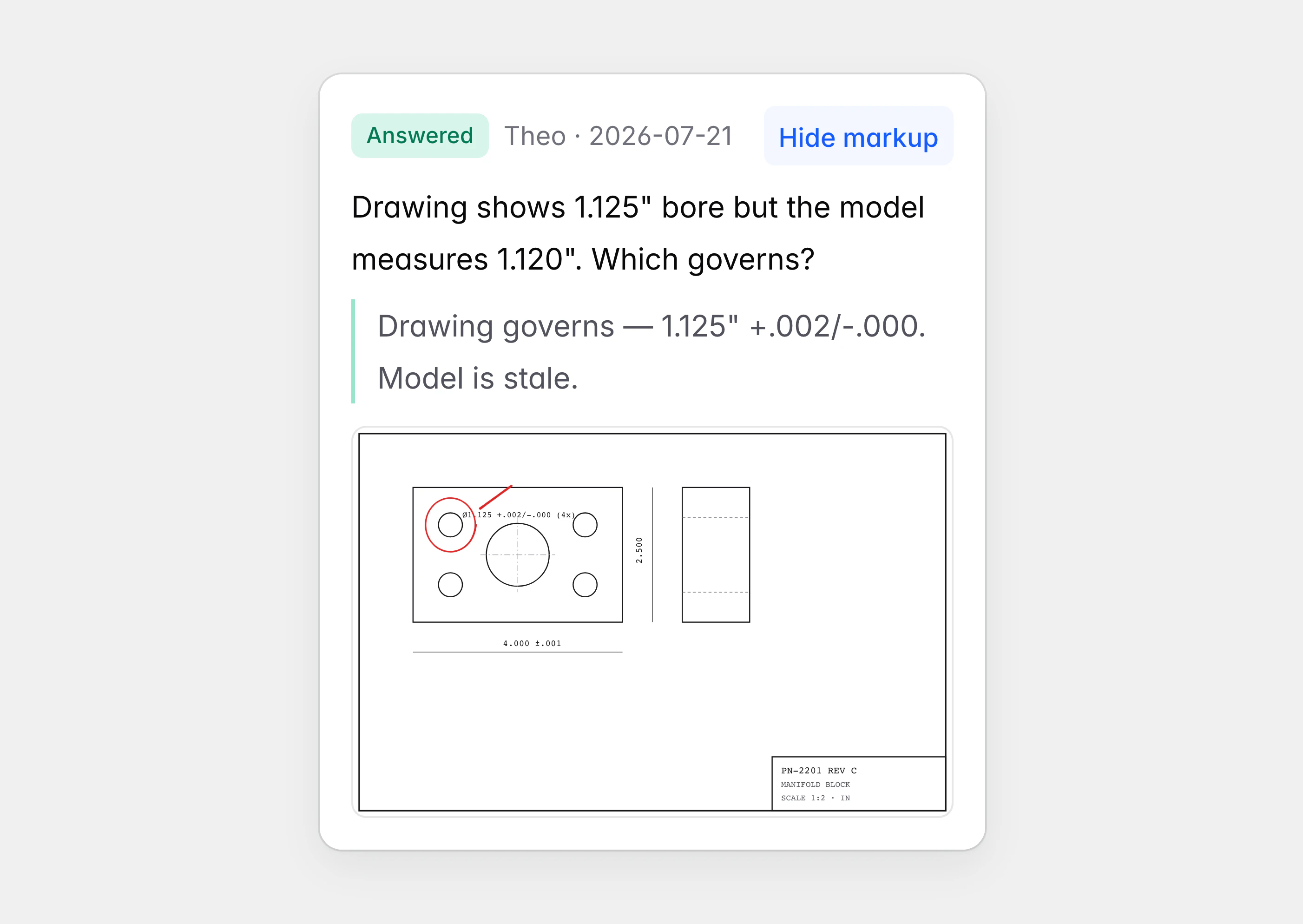
An answered question on a job, about which bore size governs, with its saved markup open: a circled bore on the print.
The circled feature stays with the question on the job.
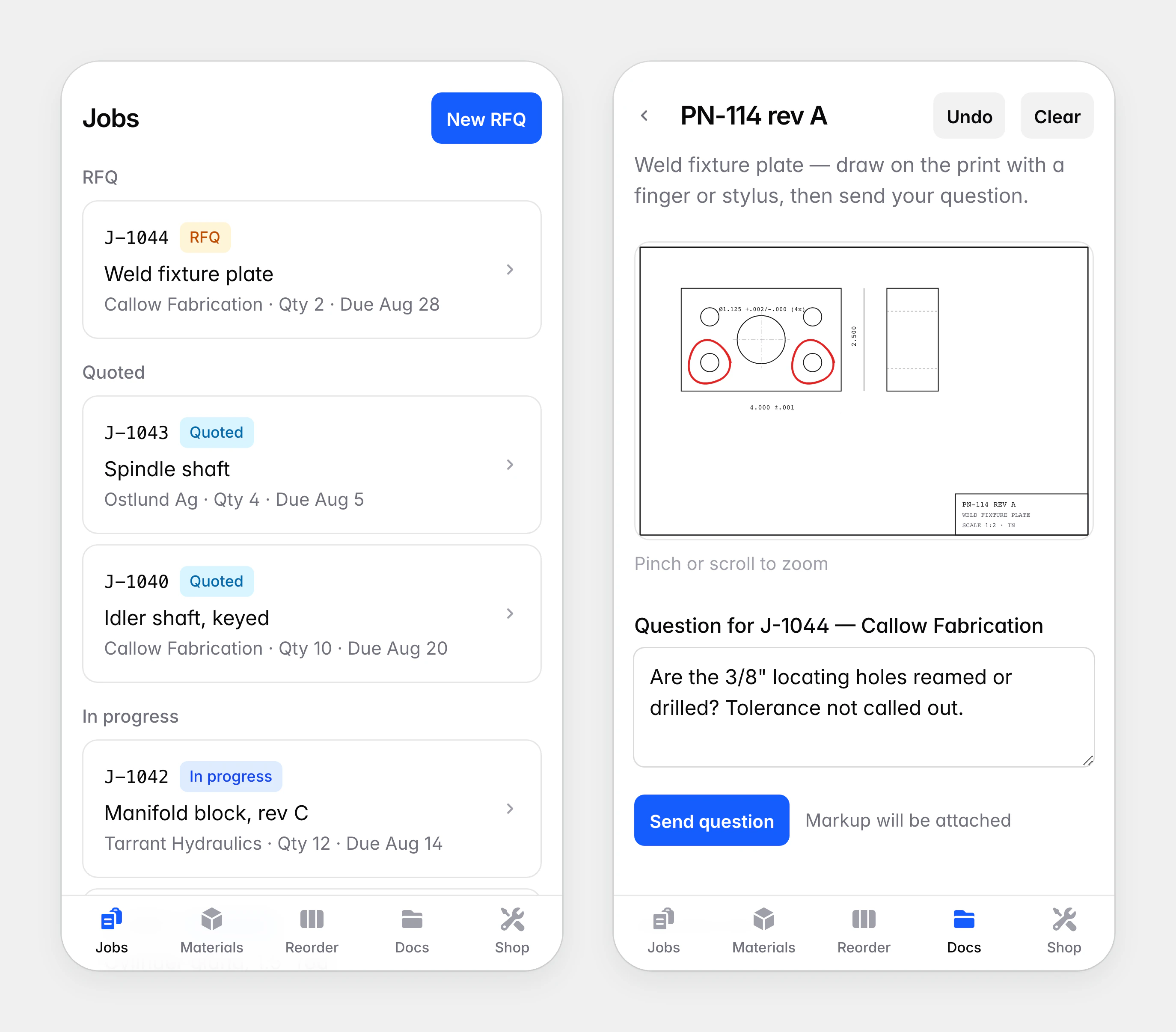
A drawing of a weld fixture plate with both locating holes circled in tapered strokes, above a question asking whether the holes are reamed or drilled.
A question about a print is asked on the print itself.

Machines, people and training

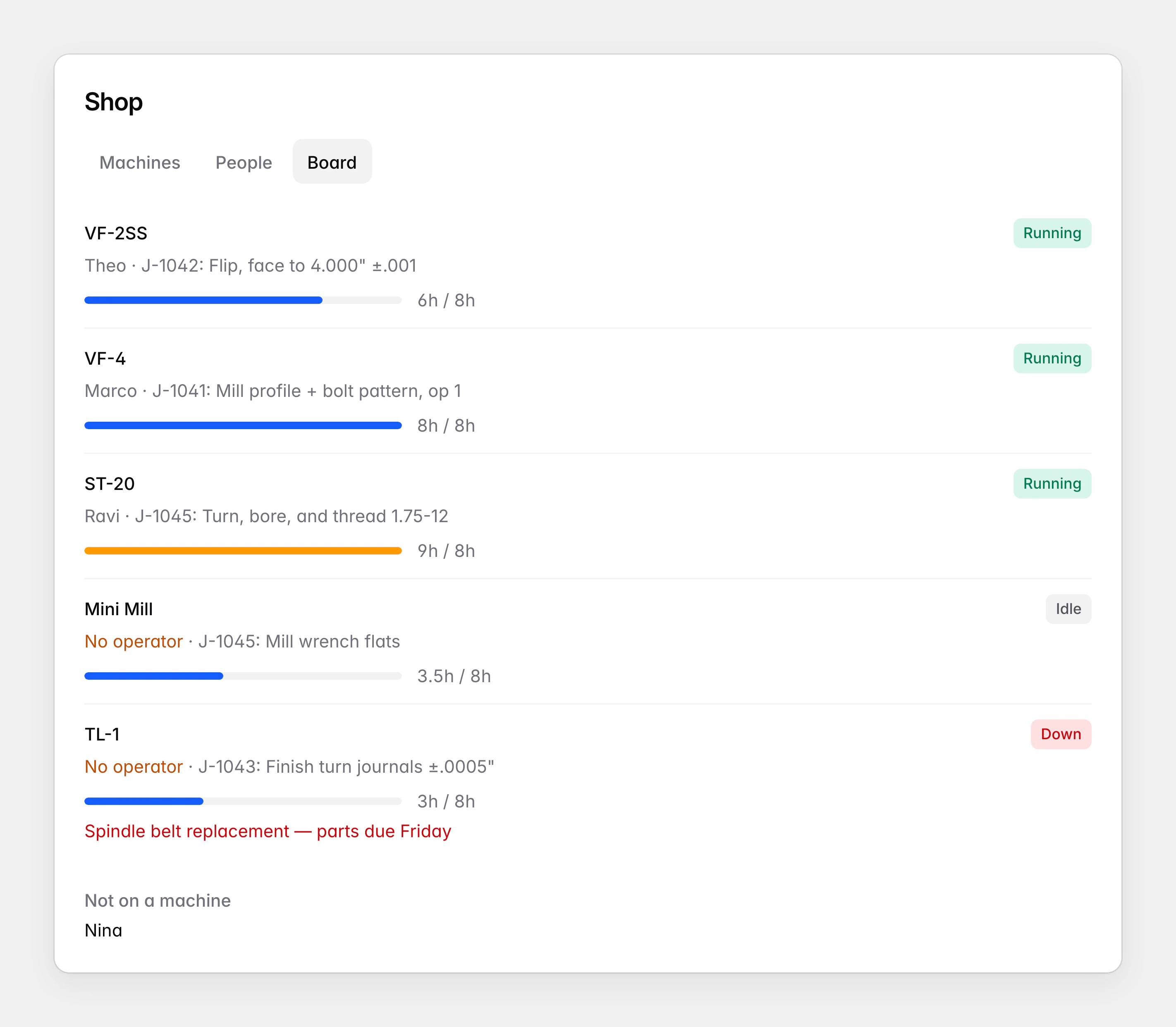
The shop’s machines are real models with their true travels and spindles, each with a status and a queue of operations from the travellers. A board shows who is on which machine, how full each machine’s shift is, and who is not on a machine at all.

The first board kept queues of its own, so it went stale as work was done. Now the queues follow the travellers: a finished operation leaves its machine’s queue, and comes back if it is unchecked. Training certificates sit with each person and are flagged as their expiry approaches.
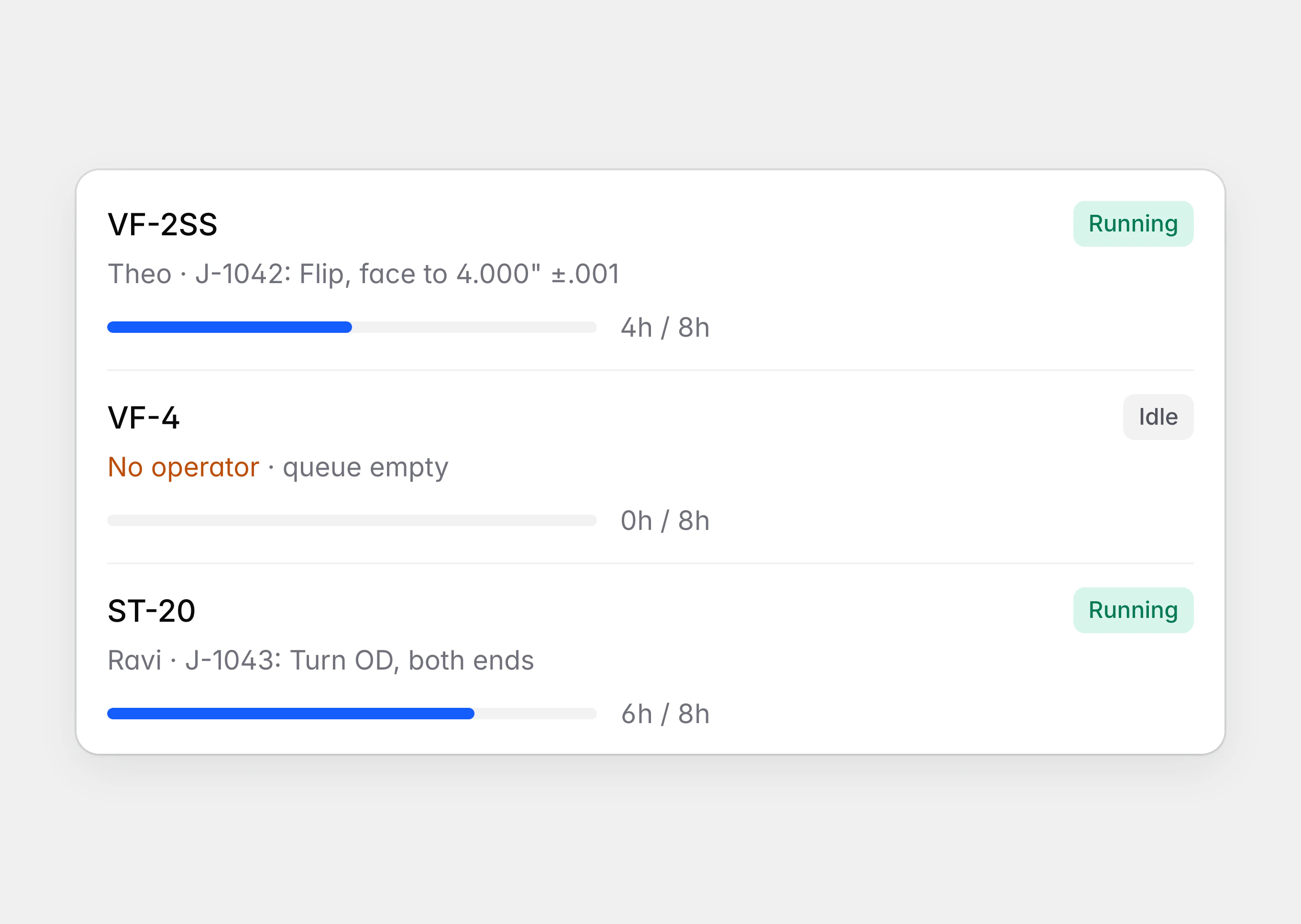
An early allocation board with the VF-4 idle, no operator and nothing queued.
The first board left one mill idle with nothing queued.
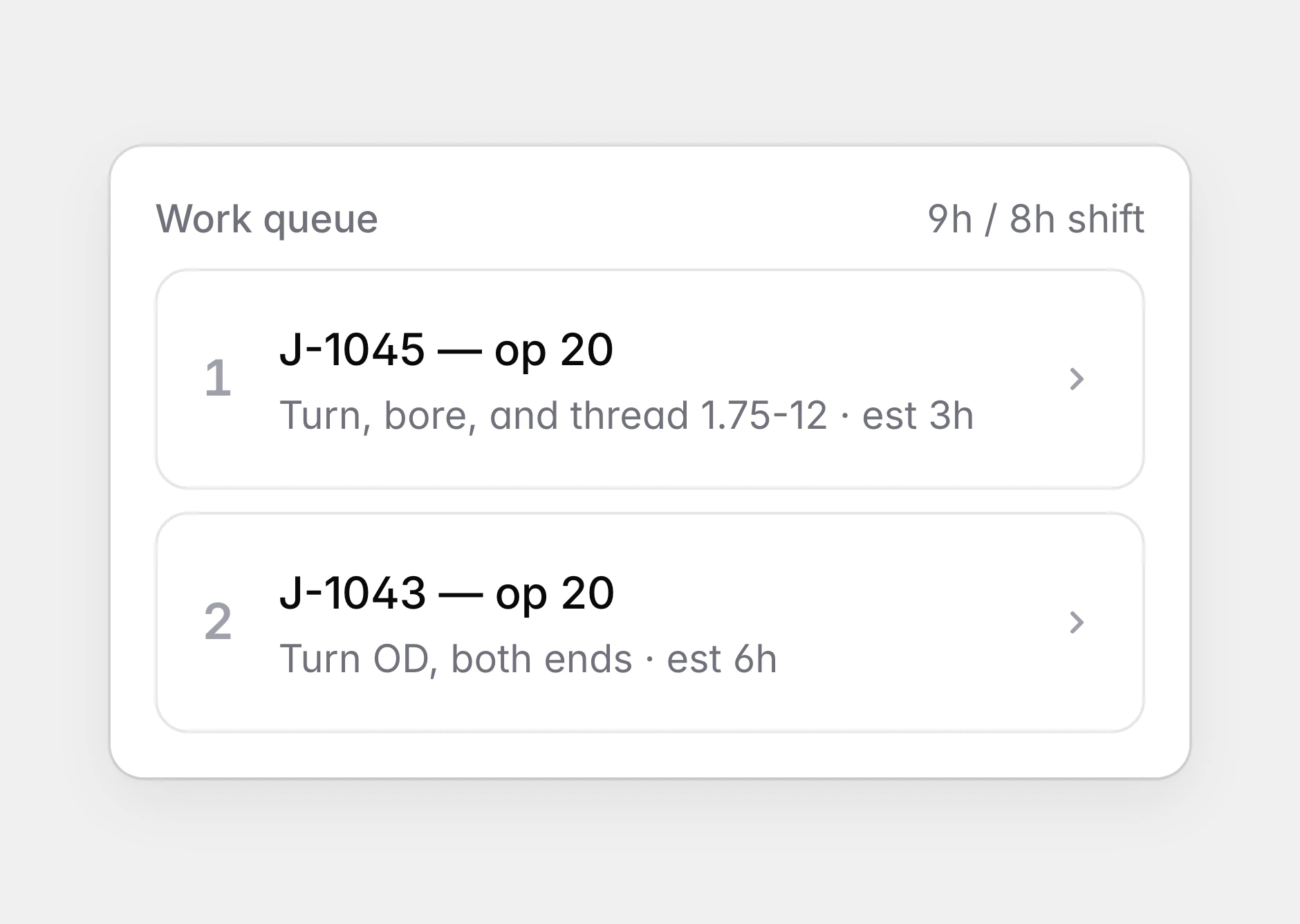
The work queue of the ST-20 lathe: two turning operations from two jobs, with their estimated hours against an eight-hour shift.
Each machine has a queue of operations drawn from the travellers.
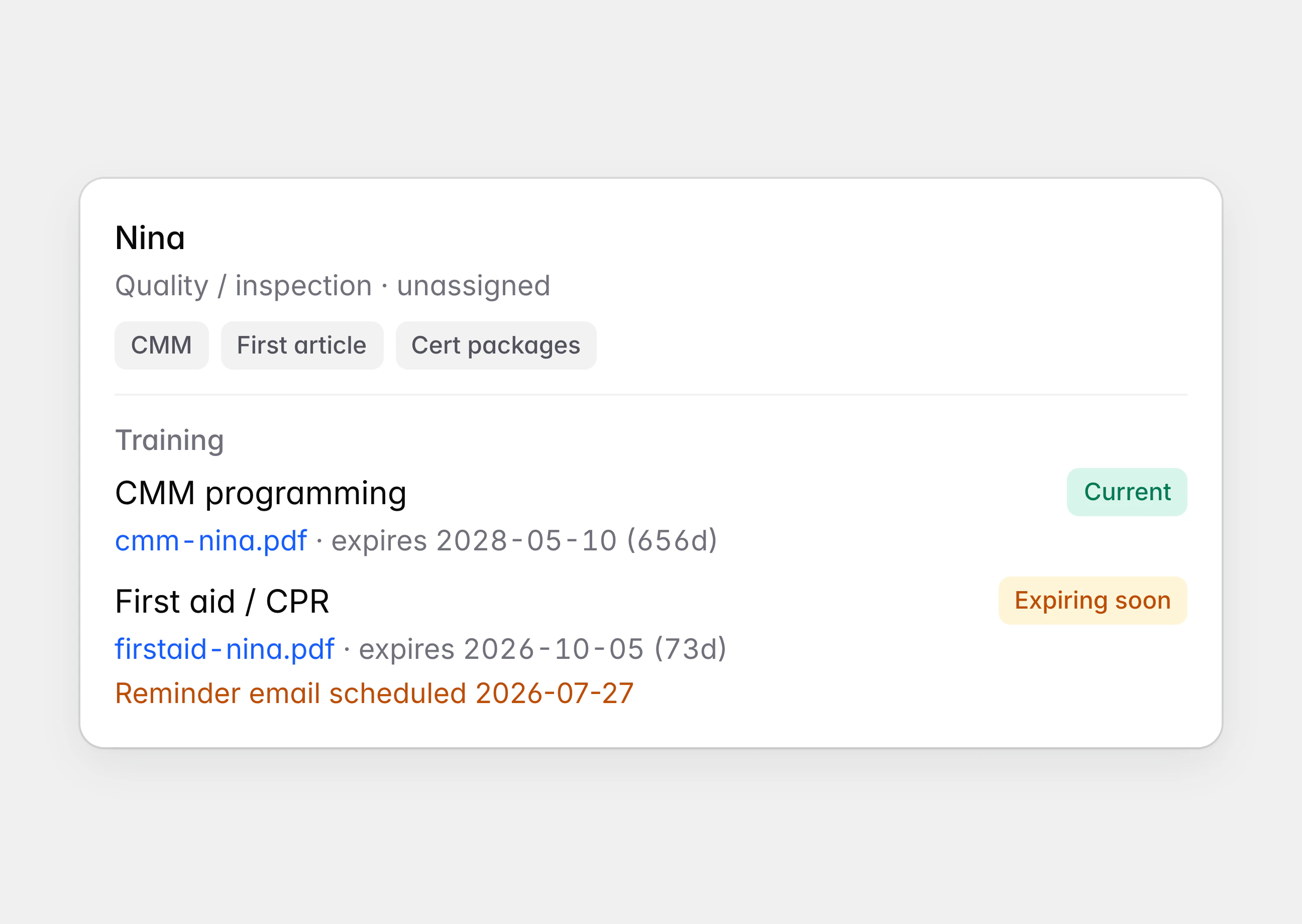
A quality inspector’s training records: a current certificate and a first aid certificate marked “Expiring soon”, with its reminder email scheduled.
Training certificates are flagged as their expiry approaches.
The shop board: each machine with its operator, current operation and a bar of queued hours against an eight-hour shift, the lathe over its shift in amber, a lathe down for repair, and one person not on a machine.
The board shows who is on each machine and how full its shift is.

Ready for the conversation

A prototype meant for feedback has to survive being poked at. The demo remembers what was changed, resets to a clean shop with one tap, and answers a stale link with a page that leads back.

It was published at its own address so the machinist could open it on his phone.
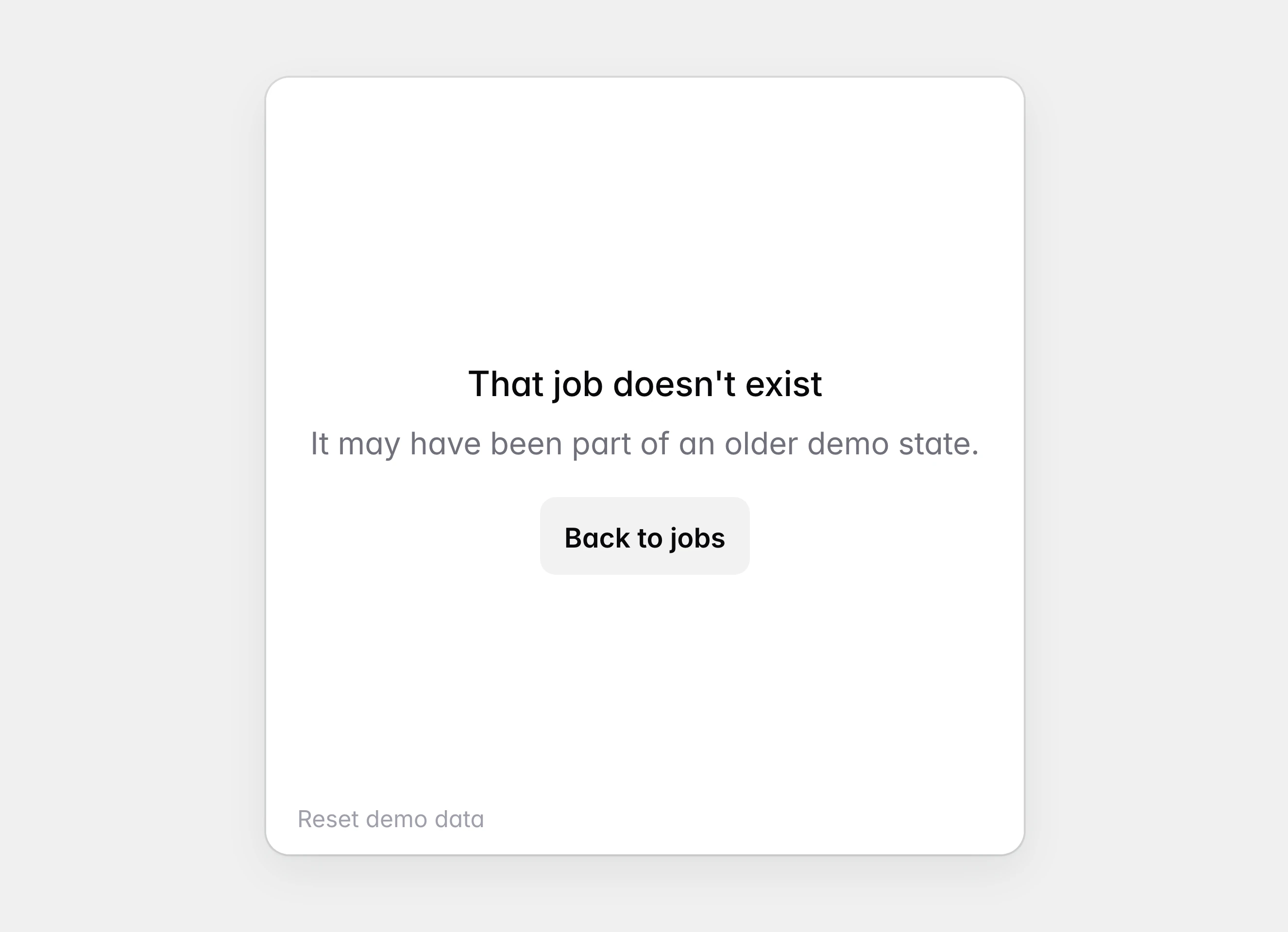
A page reading “That job doesn’t exist. It may have been part of an older demo state.” above a “Back to jobs” button and a quiet “Reset demo data” link.
A stale link leads back to the jobs list.
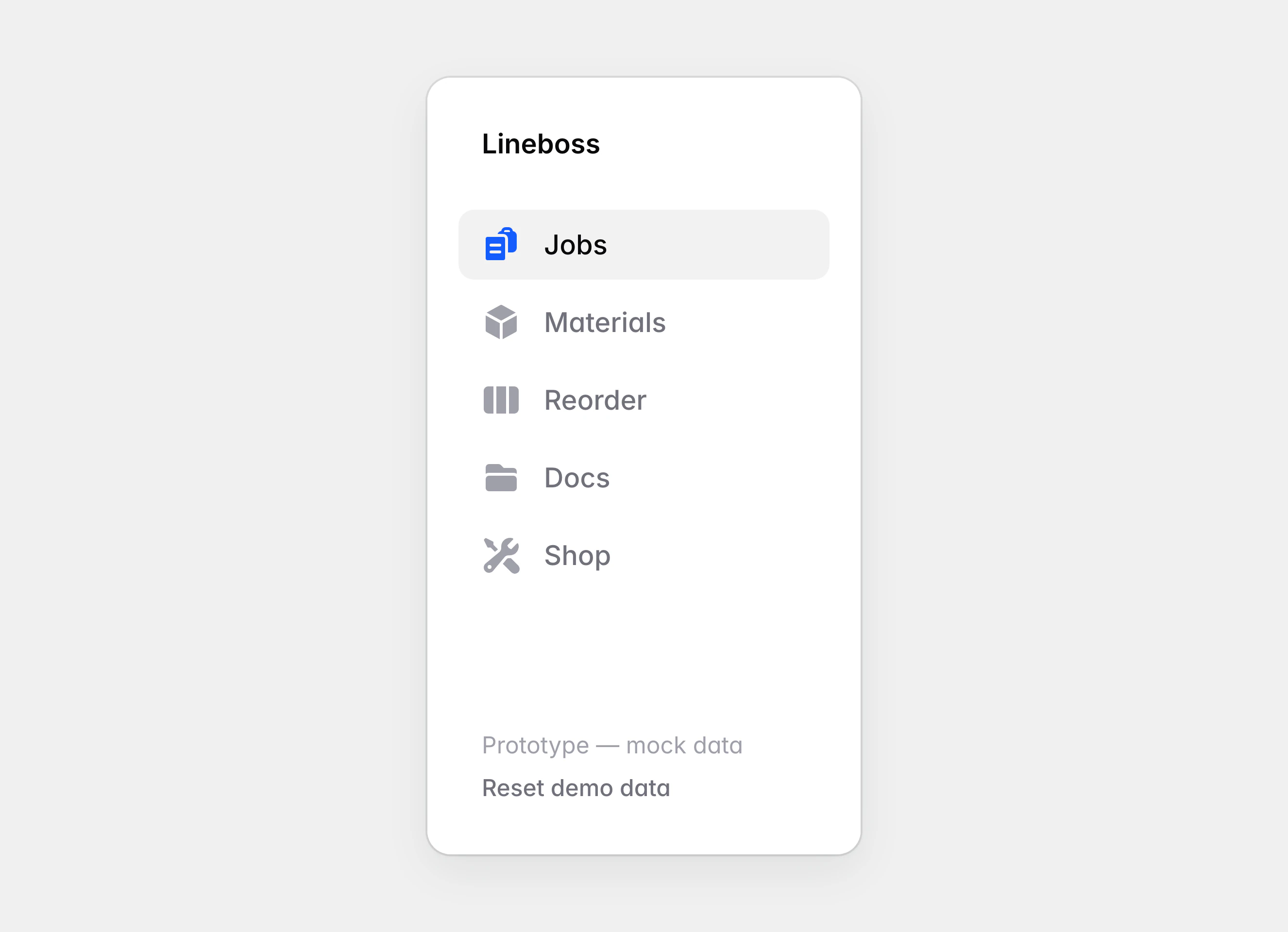
The sidebar on a wider screen, listing Jobs, Materials, Reorder, Docs and Shop, and ending with “Prototype — mock data” above a “Reset demo data” link.
On a wider screen the tabs become a sidebar, which ends with a way back to a clean shop.
Lineboss on two phones: the jobs list with tabs along the bottom, and a drawing with two holes circled above a typed question.
The prototype is laid out for the phone in a machinist’s pocket.

Outcomes

A machinist’s notes turned into a working prototype he can open on his phone

A job followed from the request for a quote through the traveller to inspection

A reorder whiteboard that ends back in inventory

Questions about a drawing asked on the drawing, with the markup kept on the job

Machine queues that follow the work on the travellers

Get started today.

Book a call